Category Archives: TechNews

Assessing the Future of Dual Boot Classroom Computers

dual_boot_imageIn tandem with the public access computer virtualization pilot program, Technology is working to replace many of the lectern-based classroom computers that faculty use on a daily basis. Currently, eleven of these computers are dual boot, meaning they can be used as either a Windows or Mac computer. Many of these computers are aging and no longer support the current needs of faculty and the ways in which they use technology in the classroom.

Going forward, Technology will use desktop virtualization, a more modern approach, in order to support multiple operating system requirements in classrooms. This approach allows for both Mac and Windows applications to run on the virtualized desktop, eliminating the need to reboot classroom computers in order to switch between operating systems.

As we move forward with this project, we’re going to identify which computers need to be replaced and reach out to faculty to find out what software and other functionality is integral to their teaching. This knowledge will allow us to make informed decisions when purchasing and installing new computers and lead to the best outcomes for faculty and students.

Because faculty experience in the classroom is of paramount importance and the decisions we make now will impact the use of classroom technology for the next 3-5 years, we want to stress the importance of faculty feedback during this process. Technology will be distributing an email about specific classroom computer replacements in the near future. We’re asking faculty members to participate in this process by taking time to respond to the email.

A Note about Simmons Calendar Sharing

calendar-128Google Apps for Education gives you many options for sharing information. Choosing the appropriate settings for sharing and privacy is particularly important when it comes to using your Simmons calendar. Unsharing your calendar makes it invisible to colleagues, which means that they will no longer be able to invite you to meetings and events.

Simmons Technology recommends sharing your calendar with the default privacy settings as a best practice. This keeps the details of your calendar private while allowing colleagues to see when you’re available and to invite you to meetings.

To learn more about calendar sharing and privacy settings, click here.

FEATURED ARTICLE: When Classes Are in Session, We’re Here to Support You

As we begin the Spring semester, we want to ensure that everyone is aware of our extended support hours. In a nutshell, if classes are in session, we’re here to help.

We provide desktop, networking, and classroom/event support onweekdays from 7:30am – 6:00pm, with additional classroom/event support hours from 6:00pm – 9:00pm.

If you need support for a weekend event, please let us know by using thiscontact form.

To get support, stop by LEF-331, visit us online atservicedesk.simmons.edu, or call 617-521-2222.

Improving Public Access Computers Through Virtualization

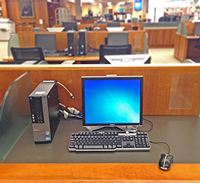
vdi_public_pcDuring the Spring semester, Simmons Technology will be working on a pilot program to virtualize some public access computers in the library and other select locations throughout campus. Virtualization is a process by which all of the tasks that normally run on a single, stand-alone computer are shifted to a powerful, centralized computer called a server.

There are several advantages to virtualization. It allows you to access the same resources by logging into any computer, reduces the traditional issues that slow down stand-alone computers, and provides us with real-time stats so we can keep all of our public access computers online and functioning at a high level twenty-four hours a day. This means that virtualized computers should have reduced login times and improved performance compared to the computers that are currently in use.

From a practical standpoint, this change should not have a negative impact on your ability to use public computers at Simmons. The login screen will look slightly different, but you will still use your Simmons username and password to access the computer. Once you’re logged in, the desktop should look the same as it does now, and you’ll have access to the same software you currently use, as well as your storage space on the Y drive.

We’ll be sending out periodic updates about this project during the Spring semester, but if you have any questions, please feel free to reach out to the Service Desk.