Tag Archives: Phishing Email

Reporting Phishing: Your Reports Help Everyone

We’ve seen an increase in both the number and sophistication of phishing attempts targeting members of the Simmons community, particularly faculty and students. These messages are becoming more convincing and can sometimes appear to come from people, organizations, or services you recognize.

If something about a message seems suspicious, the most helpful thing you can do is report it as phishing in Gmail.

Report it, don’t forward it
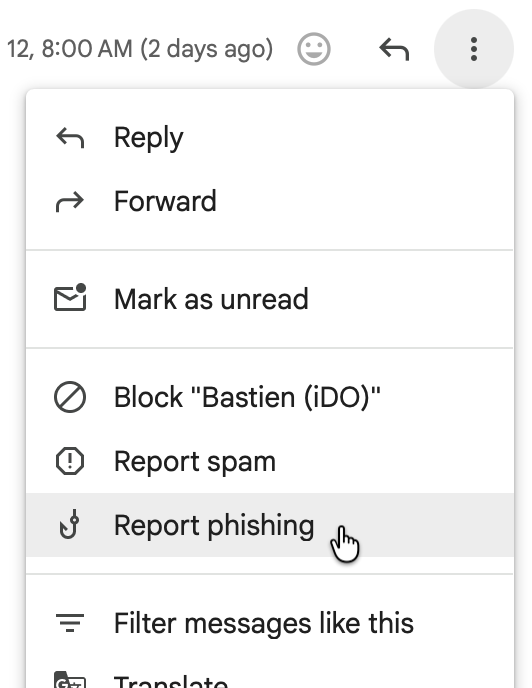
Image of Report phishing menu item

When you report a message as phishing, you’re doing more than removing it from your inbox. Your report alerts Technology to the phishing attempt so that we can investigate it. The sooner we receive those reports, the sooner we can respond—including working to identify and quarantine similar messages before more members of the Simmons community encounter them.

In Gmail on your computer while viewing the suspicious message:

  1. Select the three-dot menu next to the Reply button.
  2. Choose Report phishing.

There’s no need to forward the suspicious message to Technology. In fact, reporting it through Gmail is much more useful to us than forwarding it, because the report gives us what we need to begin investigating.

And if you’re not sure whether something is phishing? It’s okay to report it. We’d rather take a look.

What if I already clicked?

If you clicked a link in a suspicious message and possibly entered your Simmons username and password, contact the Technology Service Desk  immediately.

We can help secure and thoroughly reset your account to make sure that someone else hasn’t gained access. The sooner you contact us, the sooner we can help protect both your account and the Simmons community.

Phishing, Rogue Sharkpass/DUO pushes, and Job scams

A “wolf in sheep’s clothing”: someone or something that seems to be good but is actually not good at all

Some of you may have received a Phishing Email with the subject “A file has been shared with you”, or something similar.  This email “appears” to be coming from someone within Simmons or even from an external email address.  Clicking the link brings the victim to a web page that looks like an official-looking webpage and asks them to enter their username and password.  Once that information has been entered on the webpage it is captured by the cyber criminals.

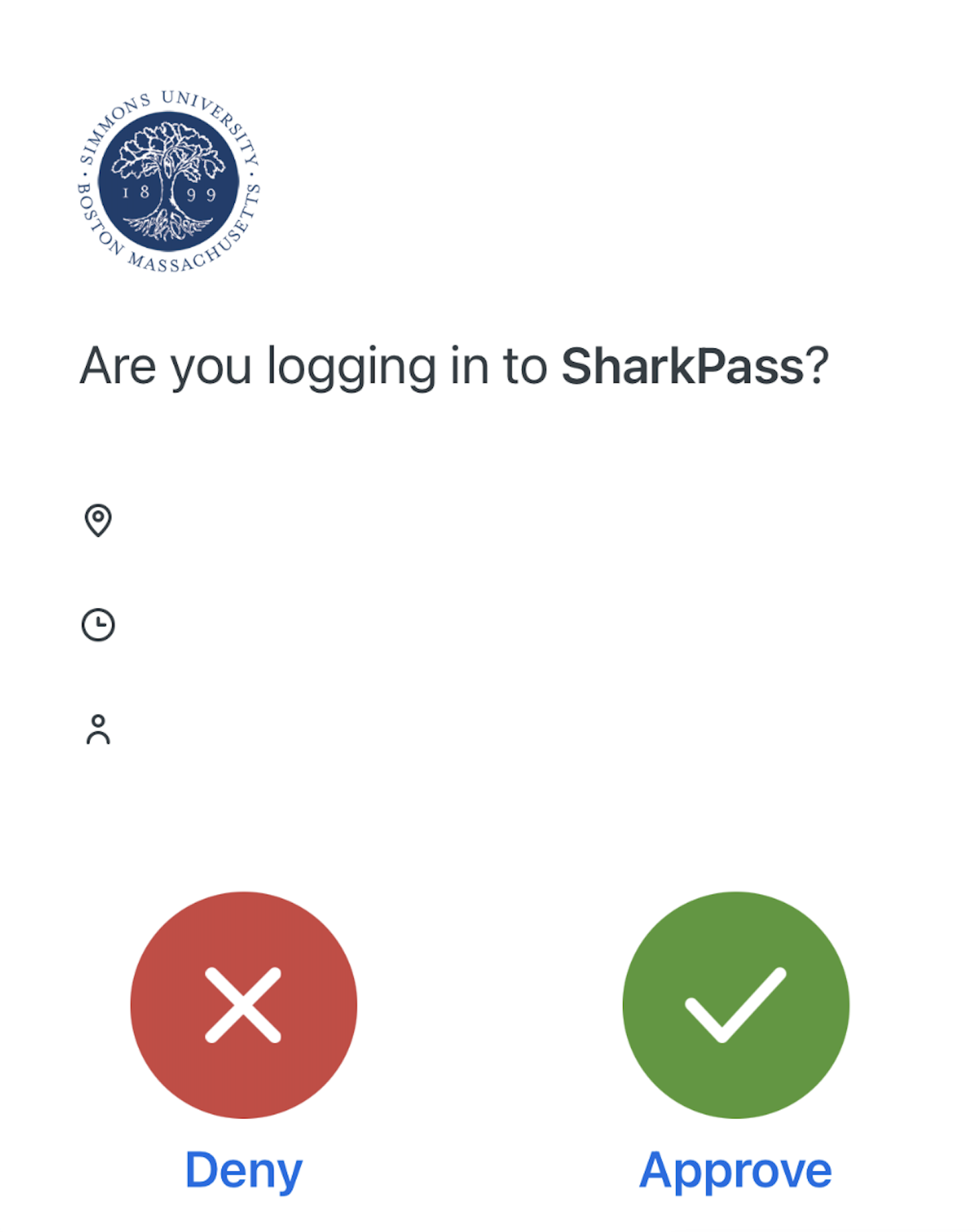
Example of SharkPass

Almost immediately following, the cybercriminals attempt to login to Simmons’s email and systems with the stolen credentials and the victim will receive a Duo authentication request known as a “Rogue Push”, meaning one that was not requested.  If the victim approves the Duo request, then the cybercriminals are allowed in.  Think before you click!

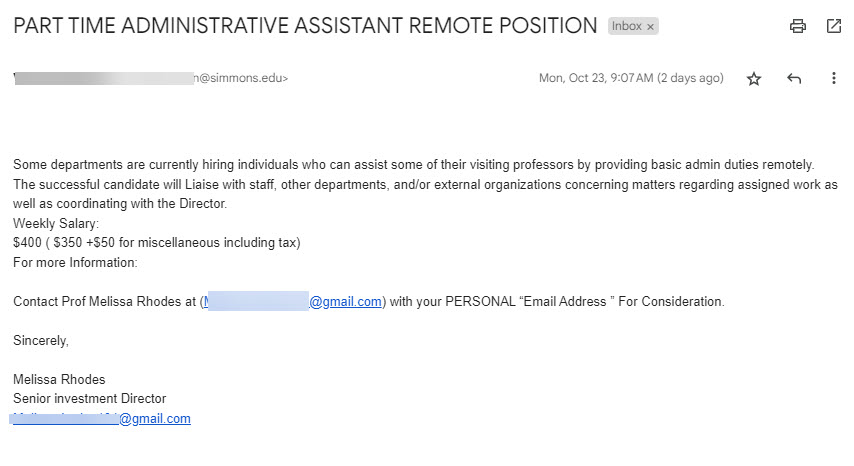
The Job Scam is intended to steal money from the victim in one of two ways.  The first is that they ask for personal information plus a bank name.  They will then send an official looking email from that bank asking the victim to confirm details and maybe to reset a PIN code.  The scammers will try to use this information to login to the bank account and withdraw money.  The second way is to send the victim a paycheck in advance with instructions to use that check to purchase supplies or a computer from their vendor.  The victim purchases these items before the bank has time to clear the deposited check.  The fake check will bounce and the victim is left responsible for the purchases.  Other variations of this scam have involved sending cryptocurrency such as bitcoin to the scammers. 

Example email

As phishing and job scams targeting higher education persist, vigilance is key. Carefully inspect unsolicited emails and do not click links or provide information without verifying legitimacy first. Report suspect message as phishing in Gmail.  Research employers thoroughly when job hunting and avoid requests for upfront fees or personal details. Never provide banking information. Stay alert and contact the IT help desk with any online safety concerns. Using caution and common sense are our best defenses against those looking to take advantage.